1. Visit https://www.myduniahosting.com/
2. Enter your email address and password to login.

3. After login. You will be redirect into website client area and click at Services > My Service tab
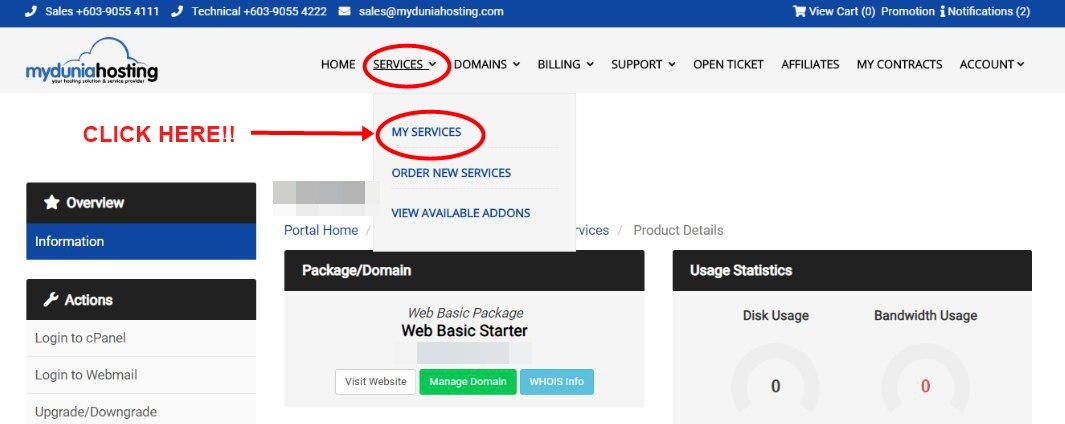
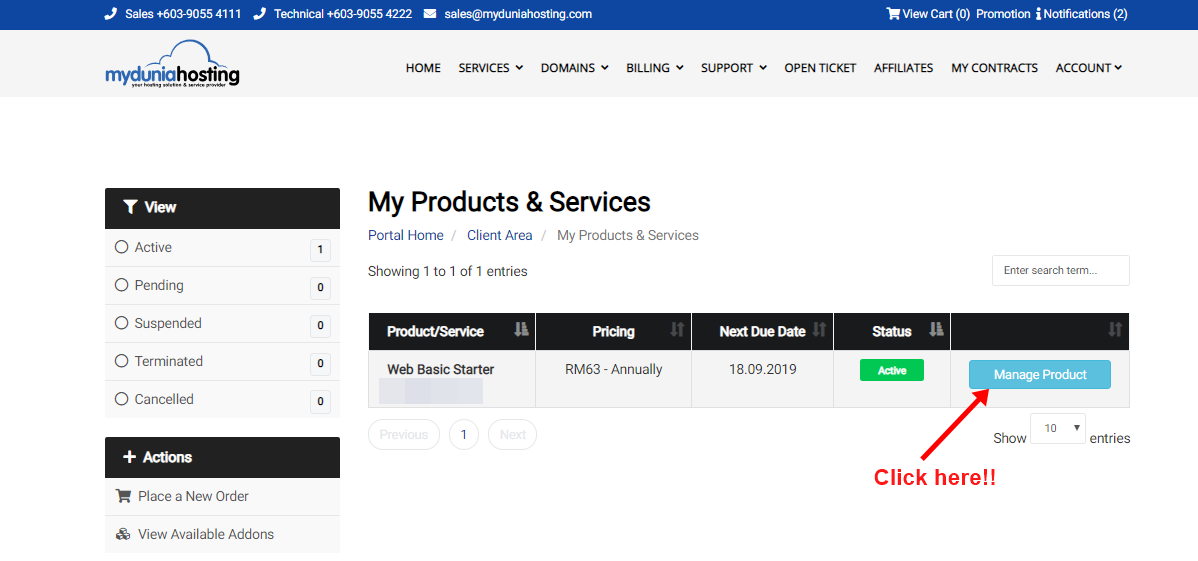
4. After click at tab My Service, will display page My Products & Services. At this page, click at Manage Product as shown below.
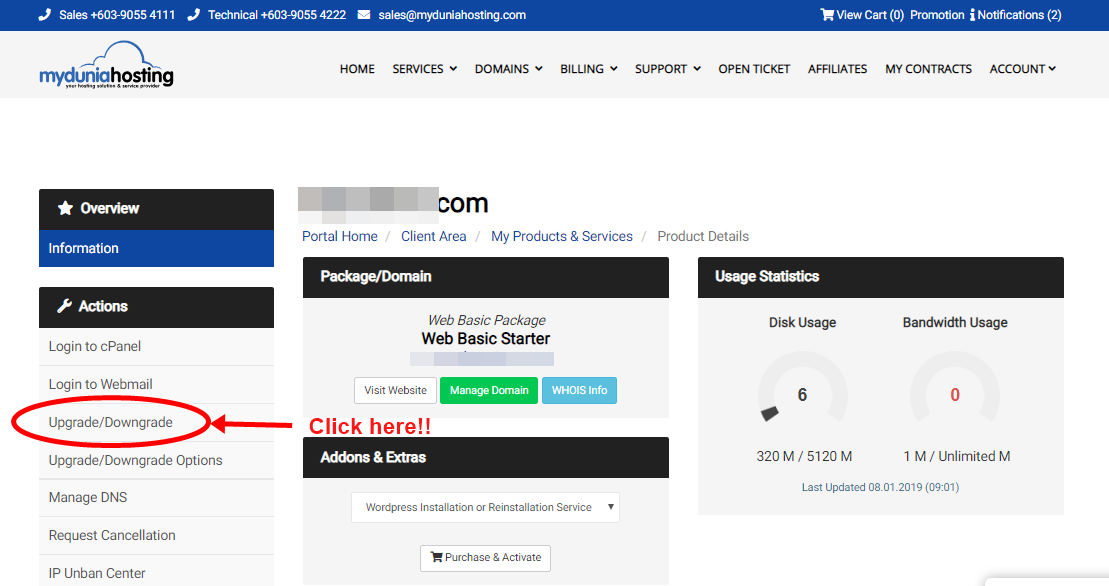
5. On the left of the website, there is Actions panel. Click on Upgrade/Downgrade.
6. In the current page, select your upgrade option. In this example, I am upgrading Web Basic Package to My Personal Package. After satisfied with package that you select, then click on “CHOOSE PRODUCT”

7. Then, the system will calculate the upgrade price amount for you. The next step is, select you payment method and hit “Click to continue” button to complete the upgrade process.

8. Wait for a while and you will redirect to the gateway you choose to make the payment. Your upgrade is successful is when you see the Order Confirmation page. Choose your type of pay and click the “PAY” button to make the payment and your package are ready.